- Navigate to your Communal Manager Dashboard
- Go to Tools then Discounts
- Click Create Discount Code
- Complete the following areas:
Name: this is the internal name for your discount code. It is NOT the code you will provide the customer(s)
Discount Type: Choose between a percentage off or a fixed amount - Create your Discount Codes. You can create more than one which is helpful for tracking purposes. Complete the following areas for each code:
Code Name: This IS the code you will provide your customer(s)
Max Redemptions: The number of times the discount code can be redeemed
Expiration Date: The last day the code can be redeemed
Apply to Membership Plans: Select all the plans you want your discount code to apply to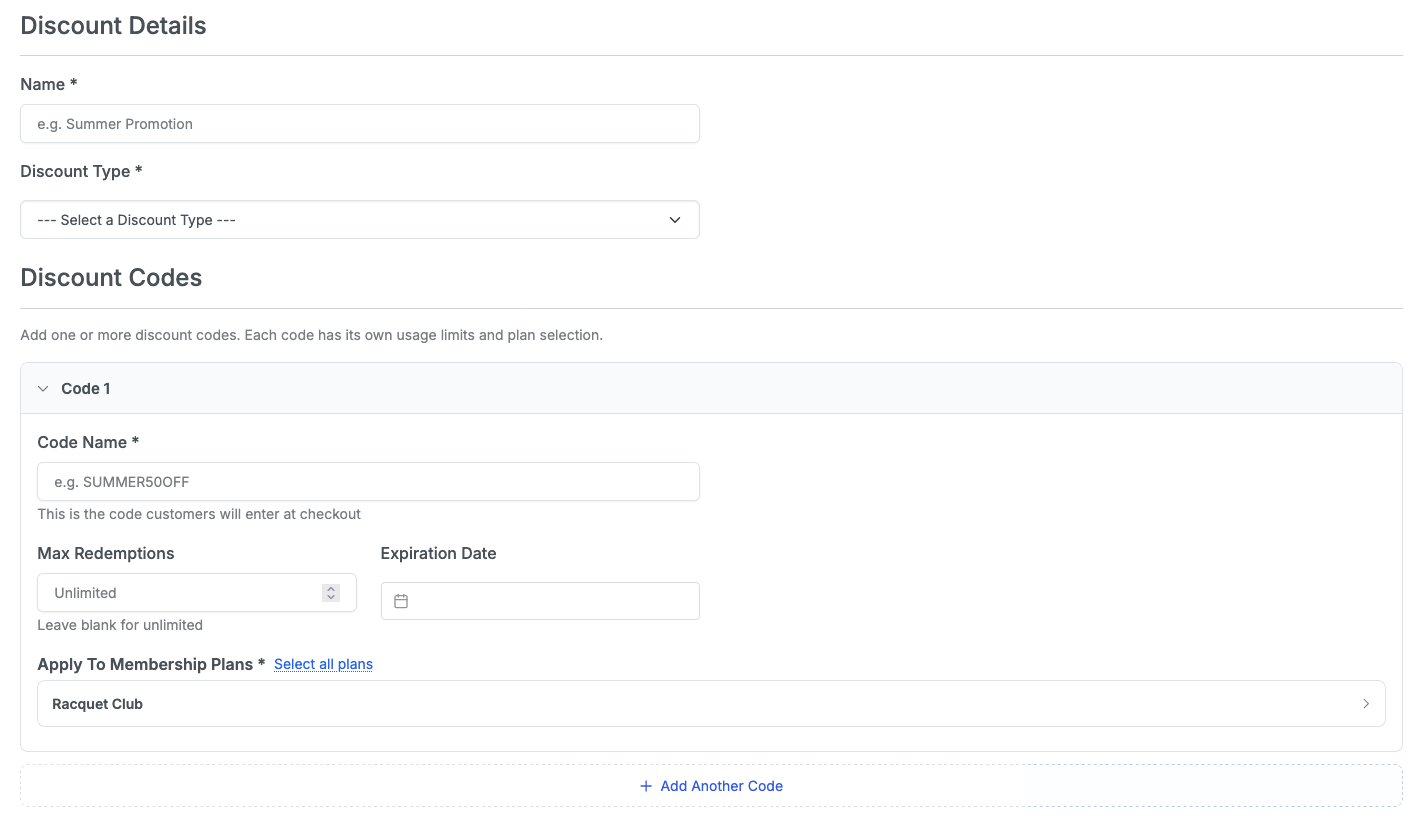
- Click Save. Your Coupon Code(s) is now live!
How to Create a Membership Discount Code
Give your members discounts!
Written by
Updated 2 weeks ago
