At times, members may want to upgrade or downgrade or switch their membership before their renewal date. If that is the case this article will help! There are two situations you can encounter:
- Change membership type - no price difference
- Change membershiptype - price difference
Change Membership Type - No Price Difference
- Navigate to People then User Memberships
- Search for the user or plan type or membership type in the search bar
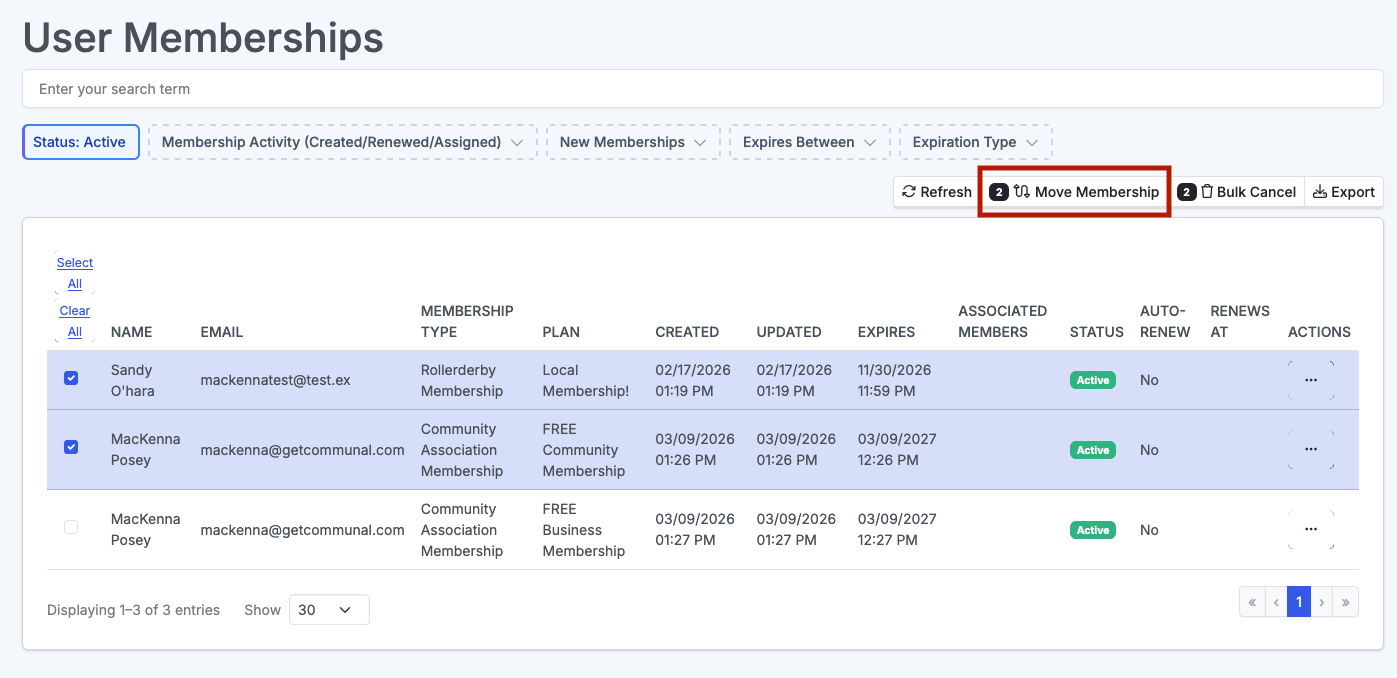
- Select the user(s) whose membership you need to move then click Move Membership
- Then select the Membership Type you would like to move them to and the Plan
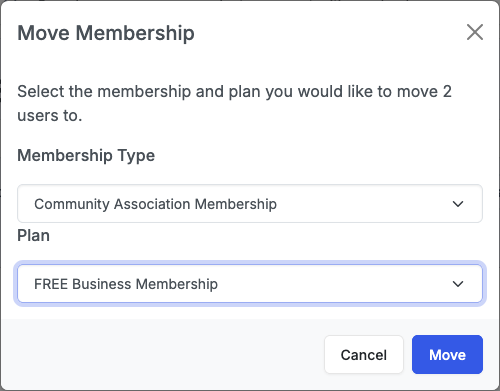
- Click Move. It may take up to 10min for the transition to be complete
Change Membership Type - Price Difference
If there is a price difference you will need to charge folks one at a time or take payment outside of the system.
- Follow the steps above for one user, then navigate to Tools then Charges
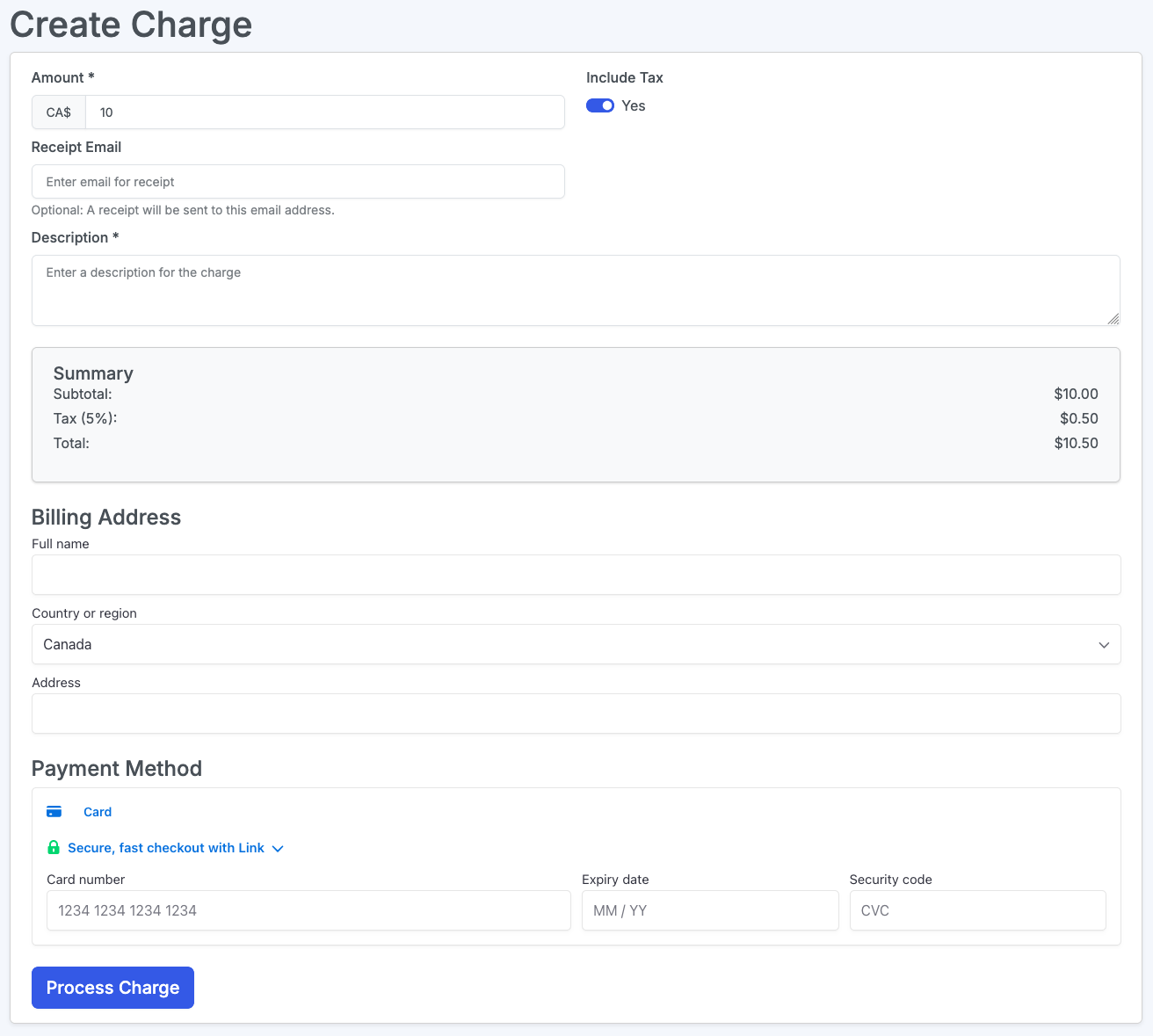
- On the Charges page, enter the amount, then complete the required information and charge the member. You will need to contact them to obtain credit card information for the charge. Alternatively you can take payment outside of the system.